The short answer
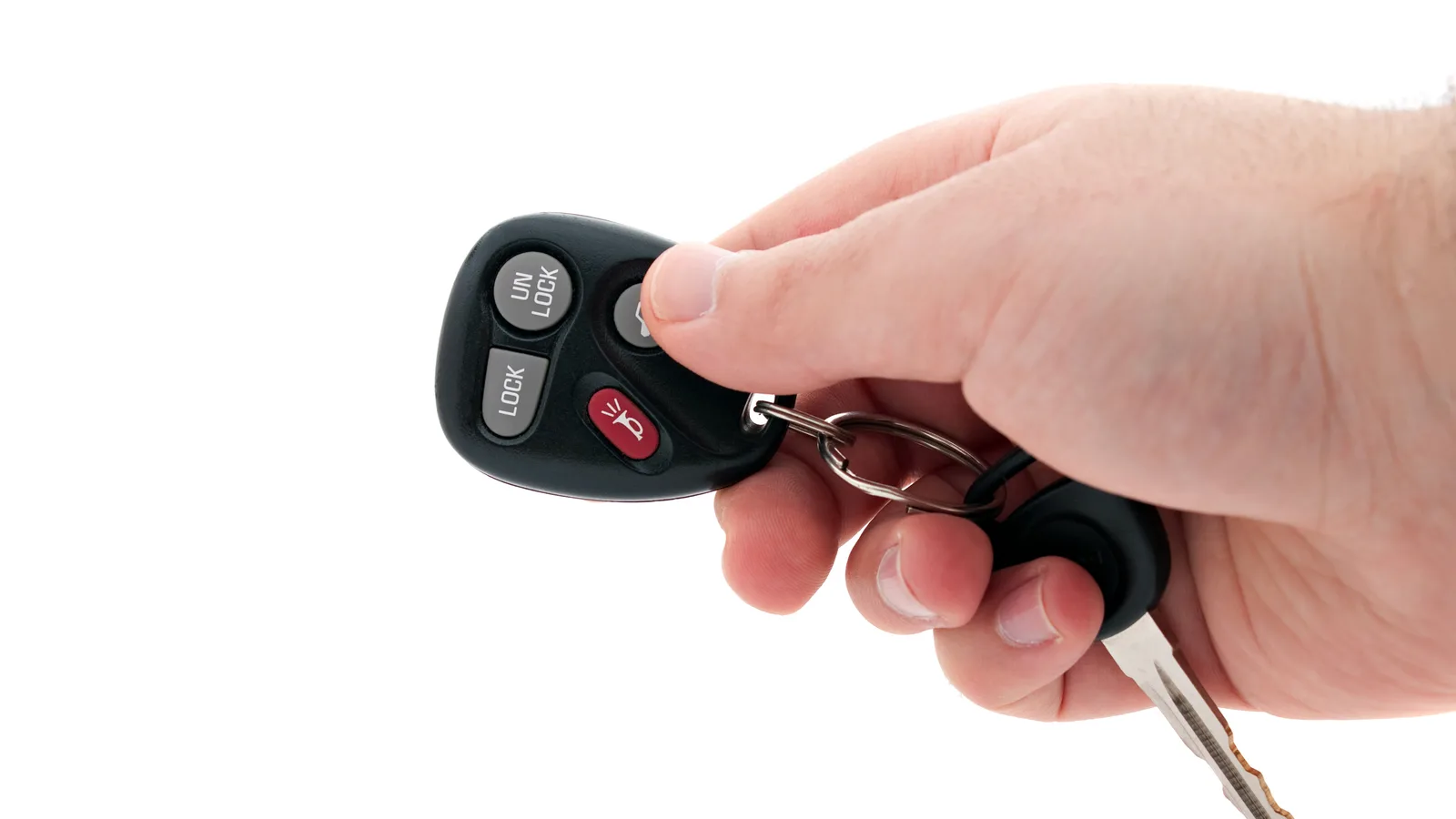
Almost every car key fob runs on a single 3V lithium coin cell, and swapping it is a 10-minute job you can do at the kitchen table. Release the emergency key blade, prise or slide the two halves of the casing apart, note which way round the old cell sits, lift it out and drop the matching new one in the same way up. Clip the fob back together, then test the buttons and start the engine.
The only two things that turn this into a frustrating afternoon are buying the wrong size of cell and forcing a casing that was designed to slide rather than pry. Both are easy to avoid.
What you need before you start
Nothing on this list is specialist kit. Work over a tray rather than a carpet or a gravel driveway, because the small parts inside a fob — springs, retaining clips and the transponder capsule — are exactly the sort of thing that vanishes between floorboards.
- Battery type
- One 3V lithium coin cell. CR2032, CR2025, CR1632 and CR1620 cover the great majority of cars sold in the UK
- Screwdriver
- Small flat-head jeweller's screwdriver for the seam; a plastic pry tool or guitar pick is kinder to the plastic
- Something to lift the cell
- Plastic tweezers, a fingernail, or the tip of the screwdriver in the notch beside the battery recess
- Workspace
- A tray with a lip, a clean cloth and decent light — the transponder capsule is only a few millimetres long
- Time
- 5 to 15 minutes, plus a minute or two outside testing the remote
A dry cloth is worth having to hand as well. If the old cell has leaked or the inside of the fob is damp, you want to wipe the compartment out before the new cell goes in.
Find the right coin cell
There are three reliable ways to identify the cell, and it is worth using two of them:
- The old cell itself. Read the number printed on the face. The letters tell you the chemistry and the four digits give the dimensions: the first two are the diameter in millimetres, the last two the thickness. So a CR2032 is 20mm across and 3.2mm thick. Take a photo of it with your phone before you put it down.
- The handbook. Many owner's manuals list the remote battery under the key or locking section, sometimes as 'remote control battery'.
- The fob casing. Some fobs have the size moulded into the plastic next to the battery recess or printed on a sticker inside the back cover.
Buy from a shop with fast turnover and check the date on the pack. Coin cells lose charge slowly on the shelf, so a cell that has sat in a drawer for years can be half flat before it goes anywhere near your key.
Step by step: opening the fob and fitting the new battery
-
01 /
Release the emergency key blade
On a flip key, press the small sliding catch on the side and let the blade spring out. On a push-button fob, the blade is usually hidden in a slot at one end: slide the catch across and pull the blade free. The blade gives you something to hold and usually exposes the seam.
-
02 /
Split the casing
There are two common designs. Clamshell fobs have a seam running round the edge — insert a plastic pry tool or jeweller's screwdriver and twist gently, working slowly round the seam until the clips release. Slide-cover fobs have a back panel that slides off in the direction usually marked by a small arrow or a raised ridge. If nothing moves with gentle pressure, stop and check the handbook rather than reaching for a bigger screwdriver.
-
03 /
Note which way round the cell sits
Take a photo before you touch anything. Most fobs have the side of the cell with the plus symbol and the printed writing facing up, but not all of them, and some battery holders are offset from the centre. Note any small tab or metal clip that holds the cell down.
-
04 /
Lift out the old cell
Use the notch at the edge of the recess: a fingernail, a plastic tool or the very tip of the screwdriver. Do not lever against the copper coil, the circuit board or the retaining clip. The cell should lift out with almost no force.
-
05 /
Check the compartment
Look for white or green crust (leaking electrolyte), a sticky residue, or a loose glass or ceramic capsule roughly the size of a grain of rice — that is the immobiliser transponder, and the car will not start without it. Wipe the compartment with a dry cloth; do not use water or solvent.
-
06 /
Fit the new cell
Same way up as the old one. Hold it by the edges rather than the flat faces, press it down flat into the recess and check it sits level and below the rim. If there is a plastic insulating tab or film on the new cell, remove it.
-
07 /
Close the fob
Check the rubber gasket or seal is sitting in its groove, line the two halves up and squeeze evenly round the seam until each clip clicks. If one corner resists, reopen it — a misaligned clip will not click home however hard you press.
-
08 /
Test the key
Stand a few metres from the car and try lock, unlock and the boot release. Start the engine. On a keyless car, check the dash for a 'key not detected' message; if it appears, hold the fob against the start button and press it, then drive as normal and see whether it clears on the next start.
After the swap: testing the key
A remote that works from 20 metres across a car park is the sign that the cell is seated properly and the contacts are clean. If the buttons work but the engine will not start, the battery is not the problem: the immobiliser transponder is passive and does not need power from the cell, so a start failure after a battery change usually means the capsule has been dislodged or lost.
If the remote does nothing at all, reopen the fob and check three things in this order: the cell is the right way up, it is sitting flat under the retaining clip, and it is the right size. If all three are correct and the car still ignores it, the remote has probably lost sync with the vehicle. Most manufacturers publish a simple re-sync routine in the handbook — typically a sequence of turning the ignition on and pressing and holding a button, or pressing two buttons alternately — but the exact sequence varies, so follow the manual for your model rather than a routine found online.
Common problems and how to fix them
| Symptom | Likely cause | What to do |
|---|---|---|
| Range has shrunk but buttons still work | Cell on its way out, or worn button contacts | Fit a fresh correct-size cell; if range is still short, the button pad may need cleaning by a specialist |
| One button does nothing | Dirty or worn contact under that one button | Clean the pad with isopropyl alcohol on a cotton bud; if it persists, the fob needs checking |
| Remote completely dead | Cell upside down, wrong size, insulating film left on, or a bent contact | Reopen, check polarity and that the cell sits flat with the clip touching it |
| Locking works but the engine won't start | Transponder capsule missing, dislodged or damaged | Find the small capsule and reseat it; if it is lost, only an auto locksmith or dealer can supply and code a replacement |
| 'Key not detected' with a new cell | Fob out of the reader's range, or the remote code needs re-syncing | Hold the fob against the start button; if that fails, follow the handbook's re-sync sequence |
| Casing won't clip shut | Seal out of its groove, or a clip misaligned | Reopen, reseat the gasket and squeeze evenly round the whole seam rather than forcing one corner |
Sealed, rechargeable and specialist keys
Not every key was designed to be opened at home. Older remote keys sometimes use a rechargeable cell that tops up while the key sits in the ignition; when that cell reaches the end of its life, the remote becomes unreliable and the cell needs replacing by someone with the right parts.
Other modern fobs are fully sealed: no seam, no screw, no blade slot, no sliding cover. These are built to be water-resistant and are not user-serviceable. An auto locksmith or a main dealer can open them with the right tools and reseal them, and that is almost always cheaper than replacing a casing you have cracked trying to get in.
Safety and disposing of the old cell
Coin cells are not ordinary rubbish. Keep new and old cells well away from children and pets, because a swallowed coin cell is a medical emergency — it can cause severe internal burns within a couple of hours, so go straight to A&E rather than waiting for symptoms.
Used cells should go to a battery recycling point rather than the household bin. Most supermarkets and many hardware shops have a collection tub, and council household waste sites have battery containers. If you are keeping a dead cell in a drawer until you next go shopping, tape over both faces so it cannot short against loose coins or keys.
Do not puncture, crush or heat a cell, and do not try to recharge a non-rechargeable lithium coin cell. Store spare cells in their packaging, not loose in a glovebox alongside metal objects.
Frequently asked questions
Can I use a different size of coin cell if the exact one isn't in stock?
No. The four digits in the code are the physical dimensions, so a different number means a different diameter or thickness. A thinner cell may make poor contact and cut out intermittently, and a wider one will not seat properly in the holder. Wait for the correct size or buy from another shop.
Will my key lose its coding if the battery is out for a long time?
No. The remote's coding and the immobiliser transponder data are held in non-volatile memory, so they survive a flat battery or weeks with no cell fitted. At most you may need to run the handbook's re-sync routine to get the buttons talking to the car again.
Can I use a rechargeable coin cell instead?
Only if the handbook specifically says so. Rechargeable cells have a lower nominal voltage and different discharge behaviour, and there is nothing in a standard fob to charge them. A rechargeable cell usually reads as low battery almost immediately.
What should I do with the old battery?
Take it to a battery collection point — most supermarkets, many hardware shops and council household waste sites have one. Don't put it in the general waste, and tape over the faces if you are storing it loose, because a coin cell shorted against keys or coins can get hot.
My key fob has no visible seam or screw. Can I still change it myself?
Probably not. Sealed fobs are built as one unit and opening them usually means damaging the casing and breaking the water-resistant seal. An auto locksmith or main dealer can do it properly, and that is the cheaper route compared with a replacement key.